 See what students from United States are saying
SheCodes Bootcamp


- Master the fundamentals of HTML, CSS, and JavaScript
- Dive into advanced JavaScript techniques to build interactive pages
- Find out how to host your code online
- Get started with React - a framework used by tech companies like Meta and Tesla
📦 Included in this package
🛠 Skills you'll gain
 HTML
HTML
 CSS
CSS
 JavaScript
 VSCode
 API
API
 GitHub
 Hosting
 AI
AI
 Python
 Data Structure
 OOP
OOP
 File Manipulation
 Data Visualization
 Data Manipulation
 Git
Git
 Bootstrap
 SEO
SEO
 Responsive
 React.js

Matt Delac


How it works
Location
100% Online
All you need is your Laptop/PC and good internet connection
Schedule
Self-paced
Plan your learning for each week and go at your own pace
Duration
12 months
(5 hours of work per week)
or 4 months
(15-20 hours of work per week)
Our mission
SheCodes is here to help
Women hold just 25% of all coding jobs and earn 30% less than men.SheCodes aims to bridge this gap by teaching relevant skills for today’s job market.
Take the first step to your dream career in tech.
250,000+ women highly recommend SheCodes


Employees from these organizations also joined SheCodes Workshops

🤔 Why choose SheCodes
Our unique learning methodology gives you exactly what you need. Learn at your own pace but never lose motivation.
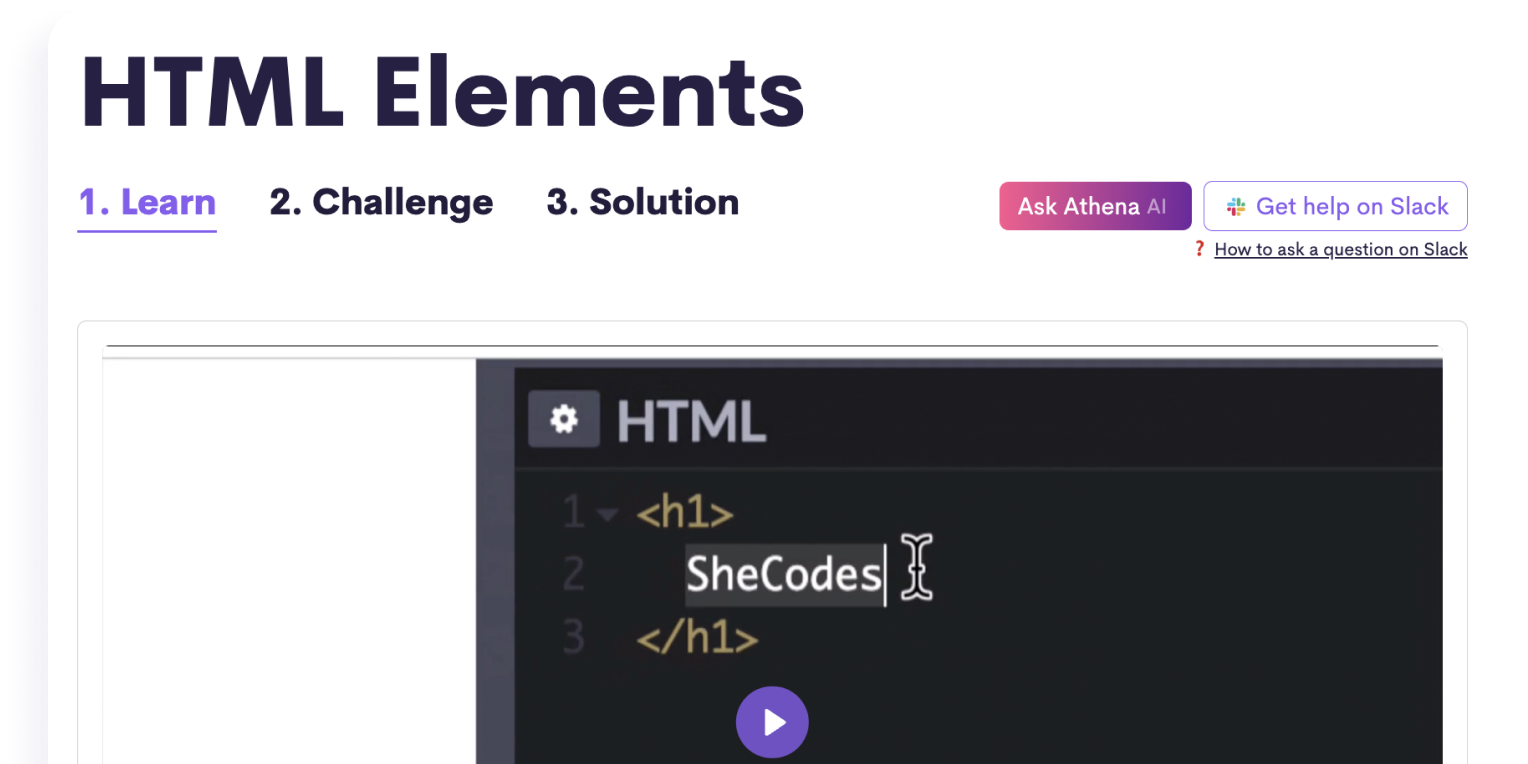
📹 Complete engaging lessons
Learn from bite-sized lesson videos and get your hands dirty from the start with fun practical challenges.
⚙️ Get technical assistance
Get help and have your homework reviewed by professional developers, or ask our AI Coding Assistant for instant replies.

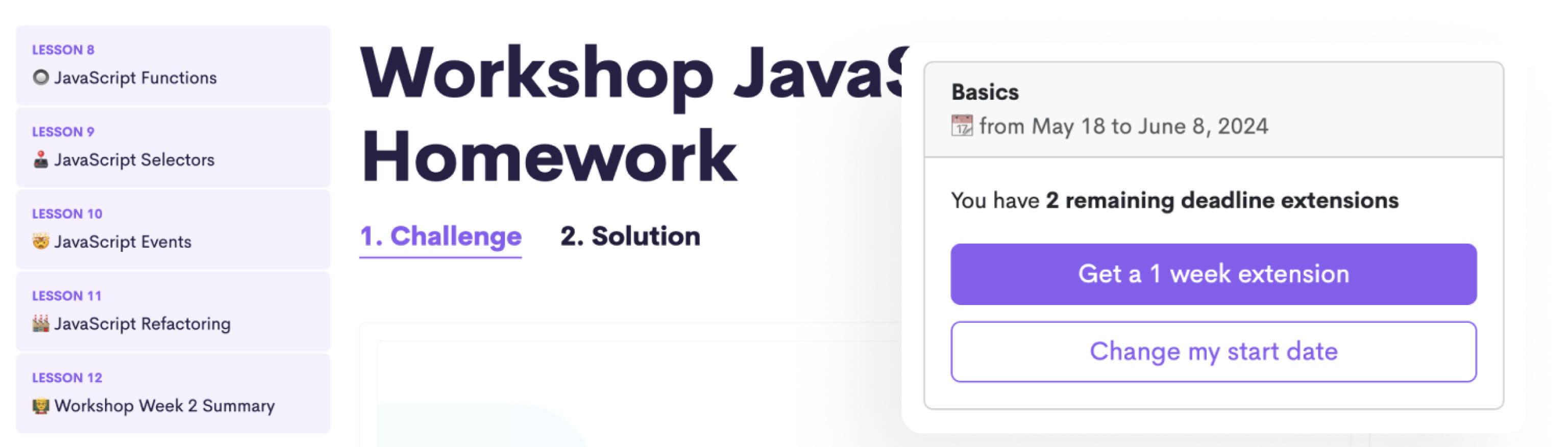
Stay motivated with weekly deadlines
Follow a structured schedule with weekly deadlines and complete homework at the end of each week to sum up what you learned.
..but enjoy a flexible schedule
Extend your weekly deadlines whenever needed without losing your progress.
🙋♀️ Learn with a vibrant community of women
Online courses don’t have to be lonely. You'll gain acess to a global community of 250,000+ ambitious women.

Learn coding with guaranteed success
SheCodes ranks higher than any other traditional online school like Udemy and Coursera.
📺 Quick 5-minute tour
With your instructor Matt Delac
💻 Build real-life projects

Landing Page

Hobby Project

Weather App

World Clock App

AI Poem Generator

Interactive Weather App

Data Vizualization

AI Travel Planner

Portfolio Website

Travel Website

React Weather App

Dictionary App
🎓 Receive your Verified Bootcamp Diploma
Receive a Verified Diploma upon graduation to showcase that you've successfully completed all workshops.

Verified Bootcamp Diploma
🎓 Get 13 Certificates
Receive a verified certificate at the end of each coding workshop.
Share it in the Certifications section of your LinkedIn profile and add it to your resume or CV.
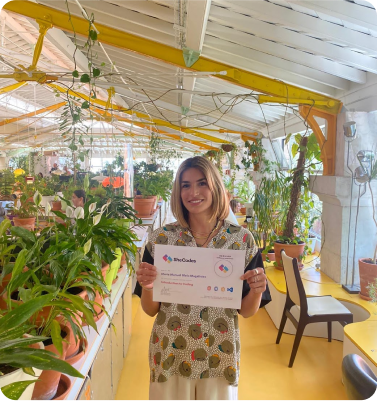

"Introduction to Coding" Certificate

"Introduction to Web Development" Certificate

"Web Development" Certificate

"Advanced Web Development" Certificate

"Introduction to Artificial Intelligence" Certificate

"Introduction to Python Development" Certificate

"Advanced Python Development" Certificate

"Introduction to Artificial Intelligence" Certificate

"Responsive Web Development" Certificate

"Advanced Responsive Development" Certificate

"React Development" Certificate

"Advanced React Development" Certificate

"Career Development" Certificate
Shareable on







📚 Workshop Curriculum
By the end of this workshop, you’ll be able to build fully functional web applications and multi-page websites for any screen size all on your own! 🙀
🎒 Lessons & challenges
- 01 Workshop Week 1 Overview Preview
- 02 Your instructor
- 03 HTML Elements Preview
- 04 HTML Attributes
- 05 Developer tools
- 06 Coding editor
- 07 Prettier
- 08 CSS Selectors
- 09 HTML Classes
- 10 VS Code Tips
- 11 CSS Properties
- 12 CSS Colors
- 13 Color palettes
- 14 CSS Positioning
- 15 CSS Spacing
- 16 CSS Borders
- 17 CSS Pseudo-selectors
- 18 Default CSS Styling
- 19 HTML Container Elements
- 20 Workshop Week 1 Summary
👩💻 Homework
🎒 Lessons & challenges
- 01 Workshop Week 2 Overview
- 02 JavaScript in the Browser
- 03 JavaScript Variables
- 04 JavaScript in HTML
- 05 JavaScript If Statements
- 06 JavaScript If Else statements
- 07 JavaScript Logical operators
- 08 JavaScript Functions
- 09 JavaScript Selectors
- 10 JavaScript Events
- 11 JavaScript Refactoring
- 12 Workshop Week 2 Summary
👩💻 Homework
🎒 Lessons & challenges
- 01 Project Overview
- 02 Project - HTML
- 03 Project - CSS
- 04 Project - JavaScript
- 05 Project - Finishing touches
- 06 Project Summary
🚀 Final project
🎒 Lessons & challenges
- 01 Basics Add-on Overview Preview
- 02 CSS Background
- 03 CSS Transform
- 04 CSS Grids
- 05 HTML Class Manipulation
- 06 Basics Add-on Project / Overview
- 07 Basics Add-on Project / Setup
- 08 Basics Add-on Project / Styling
- 09 Basics Add-on Project / Animations
- 10 Basics Add-on Project / Grid
- 11 Basics Add-on Project / Dark theme
- 12 Basics Add-on Summary
🚀 Final project
🎒 Lessons & challenges
- 01 Plus Week 2 Overview
- 02 CodeSandbox
- 03 Missing files debugging
- 04 Visuals
- 05 Fonts
- 06 Advanced CSS Positioning
- 07 Flexbox
- 08 Advanced Selectors in CSS
- 09 Plus Week 2 Summary
👩💻 Homework
🎒 Lessons & challenges
- 01 Plus Week 3 Overview
- 02 JS Revision
- 03 JS Strings
- 04 JS Math
- 05 JS Arrays and Loops
- 06 JS Objects
- 07 JS Arrays vs Objects
- 08 Plus Week 3 Summary
👩💻 Homework
🎒 Lessons & challenges
- 01 Plus Week 4 Overview
- 02 JS Functions
- 03 JS Functions Parameters
- 04 JS Debugging
- 05 JS Functions Return
- 06 JS Dates
- 07 JS Selectors
- 08 JS Events
- 09 JS Forms
- 10 Plus Week 4 Summary
👩💻 Homework
🎒 Lessons & challenges
- 01 Plus Week 5 Overview
- 02 API
- 03 AJAX
- 04 Weather API
- 05 Plus Week 5 Summary
👩💻 Homework
🎒 Lessons & challenges
- 01 Plus Week 6 Overview
- 02 Install Git
- 03 GIT
- 04 GitHub
- 05 Hosting
- 06 Netlify
- 07 Plus Week 6 Summary
👩💻 Homework
🎒 Lessons & challenges
- 01 Vanilla Weather Search Overview
- 02 Vanilla Weather Search / Project Setup
- 03 Vanilla Weather Search / Project Design
- 04 Vanilla Weather Search / HTML
- 05 Vanilla Weather Search / CSS
- 06 Vanilla Weather Search / Search engine
- 07 Vanilla Weather Search / API Integration
- 08 Vanilla Weather Search / Weather Data
- 09 Vanilla Weather Search / Summary
👩💻 Homework
🎒 Lessons & challenges
- 01 Vanilla Weather Forecast Overview
- 02 Vanilla Weather Forecast / Plan
- 03 Vanilla Weather Forecast / HTML/CSS
- 04 Vanilla Weather Forecast / JS Template
- 05 Vanilla Weather Forecast / API
- 06 Vanilla Weather Forecast / API Integration
- 07 Vanilla Weather Forecast Summary
🚀 Final project
🎒 Lessons & challenges
- 01 Plus Add-on Week 1 Overview Preview
- 02 HTML Input types
- 03 HTML Select Element
- 04 JS Timing Events
- 05 JS Date formats
- 06 JS Time Zones
- 07 Plus Add-on Week 1 Summary
👩💻 Homework
🎒 Lessons & challenges
- 01 Plus Add-on Week 2 Overview
- 02 World Clock Project / Setup
- 03 World Clock Project / HTML
- 04 World Clock Project / CSS
- 05 World Clock Project / Single location
- 06 World Clock Project / Multiple locations
- 07 World Clock Project / Local Time
- 08 Plus Add-on Week 2 Summary
🚀 Final project
🎒 Lessons & challenges
- 01 AI Add-on Week 1 Overview
- 02 What is AI? Preview
- 03 Prompt Engineering
- 04 AI APIs
- 05 SheCodes AI API
- 06 CSS in JavaScript
- 07 JS Plugins
- 08 AI Add-on Week 1 Summary
👩💻 Homework
🎒 Lessons & challenges
- 01 AI Add-on Week 2 Overview
- 02 AI Poems Project / Setup
- 03 AI Poems Project / HTML
- 04 AI Poems Project / CSS
- 05 AI Poems Project / JavaScript
- 06 AI Poems Project / API Integration
- 07 AI Poems Project / User Experience
- 08 AI Add-on Week 2 Summary
🚀 Final project
🎒 Lessons & challenges
👩💻 Homework
🎒 Lessons & challenges
- 01 Python Basics Week 2 Overview
- 02 Python Booleans
- 03 Python If-else statements
- 04 Python Elif Statement
- 05 Python None
- 06 Python Basics Week 2 Summary
👩💻 Homework
🎒 Lessons & challenges
- 01 Python Basics Week 3 Overview
- 02 Python Functions
- 03 Python Function Arguments
- 04 Python Functions Default Values
- 05 Python Function Return
- 06 Python Basics Week 3 Summary
👩💻 Homework
🎒 Lessons & challenges
- 01 Python Basics Week 4 Overview
- 02 Python Lists
- 03 Python List Loops
- 04 Python Dictionaries
- 05 Python Dictionary Loops
- 06 Python Debugger
- 07 Python Nested Dictionaries
- 08 Python Basics Week 4 Summary
👩💻 Homework
🎒 Lessons & challenges
- 01 Python Basics Week 5 Overview
- 02 Python Dates
- 03 Python External Packages
- 04 Python and APIs
- 05 Python and Weather API
- 06 Python Basics Week 5 Summary
👩💻 Homework
🎒 Lessons & challenges
- 01 Python Basics Week 6 Overview
- 02 Interactive Weather App - 2. User Input
- 03 Interactive Weather App - 3. API Integration
- 04 Interactive Weather App - 4. Forecast
- 05 Interactive Weather App - 5. User Interface
- 06 Python Basics Week 6 Summary
🚀 Final project
🎒 Lessons & challenges
👩💻 Homework
🎒 Lessons & challenges
- 01 Python Advanced Week 2 Overview
- 02 Reading basic files in Python
- 03 Reading CSV files in Python
- 04 Writing files in Python
- 05 Exception handling in Python
- 06 Python Advanced Week 2 Summary
👩💻 Homework
🎒 Lessons & challenges
- 01 Python Advanced Week 3 Overview
- 02 Python Plots basics
- 03 Python Plots styling
- 04 Python Scatter plots
- 05 Python Bar and Pie Plots
- 06 Python Subplots
- 07 Python Advanced Week 3 Summary
👩💻 Homework
🎒 Lessons & challenges
- 01 Python Advanced Week 4 Overview
- 02 Python Advanced CSV File Manipulation
- 03 Python Complex Data Structure
- 04 Python Data Filtering
- 05 Python Code Organization and Documentation
- 06 Python Advanced Week 4 Summary
👩💻 Homework
🎒 Lessons & challenges
- 01 Python Advanced Week 5 Overview
- 02 Python Advanced Final Project - CSV File
- 03 Python Advanced Final Project - Data Visualization
- 04 Python Advanced Final Project - Data Manipulation
- 05 Python Advanced Final Project - Connecting the dots
- 06 Python Advanced Final Project - Clean code
- 07 Python Advanced Week 5 Summary
🚀 Final project
🎒 Lessons & challenges
- 01 Python AI Week 1 Overview
- 02 Python AI / What is AI?
- 03 Python AI / Prompt Engineering
- 04 Python AI / OpenAI API
- 05 Python AI / SheCodes AI API
- 06 Google Colab
- 07 Python AI / AI APIs in Python
- 08 Python AI / Markdown in Python
- 09 Python AI / API output formatting
- 10 Python AI Week 1 Summary
👩💻 Homework
🎒 Lessons & challenges
- 01 Python AI Week 2 Overview
- 02 Python AI Project / Setting up the Project
- 03 Python AI Project / User inputs
- 04 Python AI Project / AI API Integration
- 05 Python AI Project / Output Formatting
- 06 Python AI Project / Weather API Integration
- 07 Python AI / Final Touches
- 08 Python AI Week 2 Summary
🚀 Final project
🎒 Lessons & challenges
- 01 Responsive Week 2 Overview
- 02 Bootstrap
- 03 Utility CSS Classes
- 04 Responsive Grids
- 05 Responsive Images
- 06 Responsive Navigation
- 07 Responsive Week 2 Summary
👩💻 Homework
🎒 Lessons & challenges
- 01 Responsive Week 3 Overview
- 02 Responsive Testing
- 03 CSS Media Queries
- 04 Live Server
- 05 Multiple Page Hosting
- 06 SEO
- 07 Responsive Week 3 Summary
👩💻 Homework
🎒 Lessons & challenges
- 01 Responsive Week 4 Overview
- 02 Portfolio Project / Wireframe
- 03 Portfolio Project / User Interface
- 04 Figma
- 05 Figma Dev Mode
- 06 Portfolio Project / Setup
- 07 Portfolio Project / Git + Github
- 08 Portfolio Project / Homepage Hero
- 09 Portfolio Project / Homepage Content
- 10 Responsive Week 4 Summary
👩💻 Homework
🎒 Lessons & challenges
- 01 Responsive Week 5 Overview
- 02 Portfolio Project / About Page
- 03 Portfolio Project / Work Page
- 04 Portfolio Project / Contact Page
- 05 Portfolio Project / Header
- 06 Portfolio Project / Footer
- 07 Portfolio Project / SEO
- 08 Responsive Week 5 Summary
🚀 Final project
🎒 Lessons & challenges
- 01 Responsive Add-on Week 1 Overview Preview
- 02 Pure CSS Grids
- 03 Responsive CSS Grids
- 04 HTML Tables
- 05 CSS Filters
- 06 CSS Hero
- 07 HTML Embeds
- 08 Responsive Add-on Week 1 Summary
👩💻 Homework
🎒 Lessons & challenges
- 01 Responsive Add-on Week 2 Overview
- 02 Travel Project / Folder structure
- 03 Travel Project / GitHub repository
- 04 Travel Project / Hosting
- 05 Travel Project / Header
- 06 Travel Project / Footer
- 07 Travel Project / Grids
- 08 Travel Project / Cards
- 09 Travel Project / Embeds
- 10 Responsive Add-on Week 2 Summary
🚀 Final project
🎒 Lessons & challenges
- 01 React Week 2 Overview
- 02 JS Closures
- 03 React Events
- 04 React States
- 05 React Forms
- 06 React Week 2 Summary
👩💻 Homework
🎒 Lessons & challenges
- 01 React Week 3 Overview
- 02 React Conditional Rendering
- 03 React Loops
- 04 React AJAX
- 05 React External Components
- 06 React Week 3 Summary
👩💻 Homework
🎒 Lessons & challenges
- 01 React Week 4 Overview
- 02 Node.js
- 03 Terminal
- 04 Create React App
- 05 Create React App with Vite
- 06 React Debugging
- 07 NPM
- 08 React hosting
- 09 Netlify Debugging
- 10 React Week 4 Summary
👩💻 Homework
🎒 Lessons & challenges
- 01 React Weather Project / Project Structure
- 02 React Weather Project / HTML
- 03 React Weather Project / CSS
- 04 React Weather Project / SheCodes API
- 05 React Weather Project / API Integration
- 06 React Weather Project / Date
- 07 React Weather Project / Search Engine
- 08 React Weather Project / Weather Icon
- 09 React Weather Project / Unit Conversion
- 10 React Weather Search / Summary
👩💻 Homework
🎒 Lessons & challenges
- 01 React Weather Project / Forecast / Overview
- 02 React Weather Project / Forecast / Layout
- 03 React Weather Project / Forecast / API
- 04 React Weather Project / Forecast / 1 Day
- 05 React Weather Project / Forecast / 5 Day
- 06 React Weather Project / Forecast / Refresh
- 07 React Weather Project / Finishing touches
🚀 Final project
🎒 Lessons & challenges
- 01 React Dictionary Search / Overview Preview
- 02 React Dictionary Project / Wireframe
- 03 React Dictionary Project / Setup
- 04 React Dictionary Project / Search engine
- 05 React Dictionary Project / API integration
- 06 React Dictionary Project / Meanings
- 07 React Dictionary Search / Summary
👩💻 Homework
🎒 Lessons & challenges
- 01 React Dictionary Project - Overview
- 02 React Dictionary Project / Synonyms
- 03 React Dictionary Project / Phonetics
- 04 React Dictionary Project / Styling
- 05 React Dictionary Project / Photos
- 06 React Dictionary Project - Summary
🚀 Final project
🎒 Lessons & challenges
- 01 SheCodes Next Overview Preview
- 02 Building a successful Portfolio
- 03 How to improve your LinkedIn profile
- 04 Create a professional resume
- 05 Identify jobs you want
- 06 Apply for jobs
- 07 How to network successfully
- 08 Keep coding
- 09 SheCodes Next Summary
🚀 Final project
📦 What's included
We provide everything you need to succeed.


13 Verified Certificates
See samples19 Technologies Learned
See technologies included
HTML
CSS
JavaScript
VSCode
API
GitHub
Hosting
AI
Python
Data Structure
OOP
File Manipulation
Data Visualization
Data Manipulation
Git
Bootstrap
SEO
Responsive
React.js
13 Final Projects
Lifetime Access
Weekly Deadlines
Live Technical Assistance
by professional developersHomework Review
AI Coding Assistant
Priority Support
We've taught 250,000+ women to code
All of our students started our workshops as complete beginners! Here’s what a few of them had to say
See more reviews
SheCodes Graduate
 5/5
5/5


SheCodes Graduate
5/5

SheCodes Graduate
5/5


🤔 Frequently Asked Questions
If you have any other questions, you can easily reach out to us here
Who is the SheCodes Bootcamp for?
The Bootcamp is for students who want to become professional developers. You will learn HTML, CSS, beginner to advanced JavaScript, responsive design, Python, and React to strengthen your development skills! We will also help you develop a strong portfolio and resume to start your career in development.
How will I receive Priority Support?
You will use the Slack weekly channels like everyone else, but our team will reply to you first. For customer support, you can also contact us through the form under Account > Contact Us. Your questions will be the first ones our team will reply to!
Who teaches the workshops in the Bootcamp?
All workshops are taught by SheCodes founder, Matt Delac. He is a full-stack engineer with over ten years of experience in the field of development.
Can I watch the lesson videos whenever I want?
Yes! You can watch the lesson videos whenever it's convenient for you. Keep in mind that you’ll have homework deadlines, so just make sure you watch the designated weekly lesson videos in time to complete your homework.
Do I need a laptop to join?
You’ll need a laptop or desktop computer to complete the workshop. You’ll also need to make sure that your device is able to download the necessary free software required. You cannot use iPads, tablets, or smartphones to complete the workshops; however, maybe you can borrow a laptop or computer from someone if necessary.
How can I complete my payment?
Your payment can be completed with Visa, Mastercard, AMEX, or PayPal and bank transfers. If you’d like to pay with PayPal or a bank transfer, contact team@shecodes.io to receive payment instructions.
Do I need any further programs to complete the workshops?
Yes, you'll need to use several external programs to write and host your code. But they all have a free plan that is more than enough for you to complete your workshops.
Update: The free plan of the Python code editor we use has changed and you may feel the need to upgrade. If that's the case, but you're not able to afford it on your own, we can sponsor you for the duration of the course.
Not sure if this is for you?
Browse all of our workshops and compare them.
Everything included

252,305 women already enrolled
Enroll TodayStarts Oct 7 Enroll Next Week
Starts Oct 12
You can change your enrollment date anytime.
Apply for a discount